

Download NING – Create Your Own Social Network Easily
Overview
NING is a premium web‑based platform that lets anyone—from hobbyists to small‑business owners—build a fully functional social network without writing a single line of code. Think of it as the modern cousin of MySpace, but with a cleaner interface, built‑in analytics, and three tiered plans (Mini, Plus, Pro) that scale with your community’s size. The core promise is simplicity: you pick a template, choose your colors, upload logos and photos, and then invite members to join.
Because NING runs entirely in the browser, there’s no need to install software on a desktop or server; all you need is a stable internet connection and a credit card to activate your subscription. While the platform lacks the depth of giant social giants like Facebook, it shines for niche groups that want a dedicated space—think fan clubs, professional associations, or hobbyist circles. The learning curve is intentionally shallow, making it a perfect entry point for novices who want to experiment with community building while retaining control over branding and data ownership.
However, the trade‑off is that the feature set stays relatively basic, which may prompt some users to question the value of a paid plan versus a free Facebook group. In the sections that follow we’ll dive into the key features, walk through the setup process, examine compatibility, and weigh the pros and cons so you can decide whether NING is the right tool for your next social venture.
Core Features & Pricing Plans
- Drag‑and‑drop site builder with customizable templates.
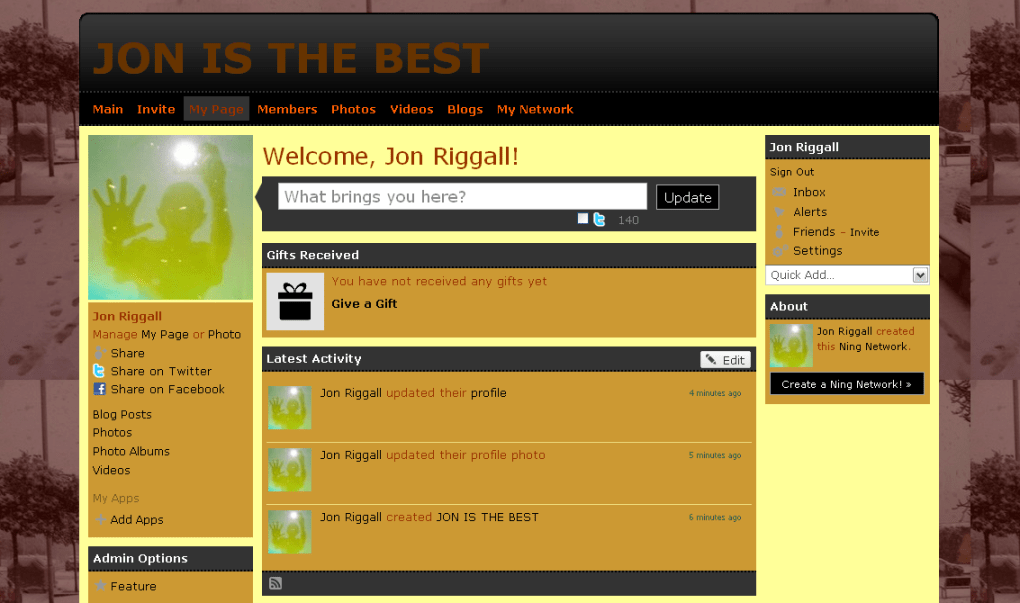
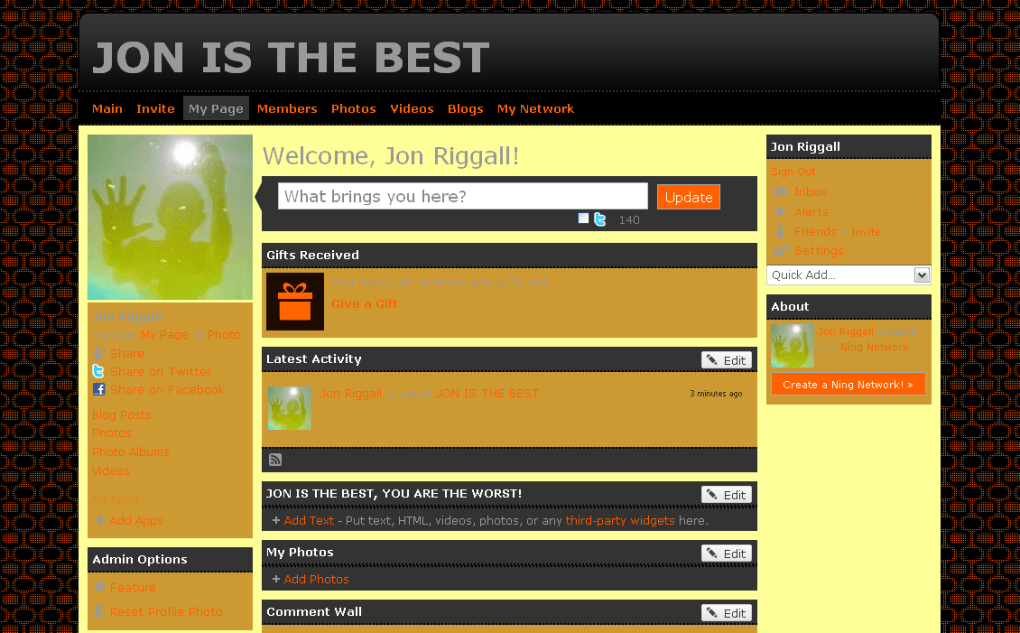
- Integrated member profiles, activity feeds, and discussion forums.
- Built‑in analytics dashboard to track sign‑ups, engagement, and traffic sources.
- Monetization options including premium memberships and ad placements.
- SEO‑friendly URLs and meta‑tag controls for better discoverability.
- Mobile‑responsive design that automatically adapts to smartphones and tablets.
- Third‑party app integrations (Google Analytics, Mailchimp, Zapier).
- Secure SSL encryption for all member data and transactions.
- 24/7 support for Plus and Pro subscribers, plus a community knowledge base.
NING’s pricing is split into three clear tiers. The Mini plan starts at $19 per month and is designed for very small communities (up to 500 members). It includes basic customization, standard analytics, and email support.
The Plus plan, at $49 per month, raises the member cap to 5,000 and adds advanced branding options, priority support, and the ability to run paid memberships. Finally, the Pro plan costs $99 per month, unlocking unlimited members, custom domain mapping, white‑labeling, and full access to the API for deep integrations. All plans are billed monthly or annually (with a discount of up to 20 % for yearly commitments).
Because NING is a SaaS product, you never have to worry about server maintenance or software updates—the platform is continuously patched and enhanced behind the scenes, ensuring a secure and up‑to‑date experience for both you and your community members.
Getting Started: Installation & First Use
Step‑by‑Step Setup
- Create an account: Visit ning.com, click “Start Your Network,” and fill in your email, desired network name, and password.
- Select a plan: Choose Mini, Plus, or Pro based on projected member count and feature needs. Enter your credit‑card details; the first month is charged immediately, with a 14‑day money‑back guarantee.
- Pick a template: NING offers a library of pre‑designed themes. Choose one that matches your brand aesthetic, then click “Customize.”
- Brand your site: Upload a logo, choose primary and secondary colors, and add a header image. The drag‑and‑drop editor lets you reposition widgets, add custom CSS (Pro only), and preview changes in real time.
- Add core pages: Create an “About” page, a “Rules” page, and any static content you want members to see before signing up.
- Configure member settings: Define whether users can post publicly, create groups, or send private messages. Set privacy levels (public, invitation‑only, or hidden).
- Invite your first members: Use the built‑in email invitation tool or share a unique signup link on social media.
- Monitor and iterate: Once members start joining, consult the analytics dashboard to see which pages attract traffic, which posts generate engagement, and adjust your content strategy accordingly.
Because NING is fully web‑based, there is no traditional “installation” process—everything runs in the cloud. This eliminates the need for server configuration, database setup, or software updates on your part. All you need is a modern browser (Chrome, Firefox, Safari, or Edge) and a stable internet connection. After the initial setup, you can manage the entire network from any device, including laptops, tablets, or smartphones. NING also offers a mobile app for iOS and Android that lets administrators moderate discussions, approve new members, and push notifications directly to users, ensuring you stay connected to your community even when you’re on the go.
Compatibility, Pros & Cons
NING is a cloud‑hosted SaaS solution, meaning it works on any operating system that supports a modern web browser—Windows, macOS, Linux, Chrome OS, as well as mobile platforms like iOS and Android. The responsive design guarantees that members experience a consistent look and feel whether they access the network from a desktop, tablet, or smartphone. No additional plugins or extensions are required, and the platform automatically updates to the latest web standards, ensuring compatibility with future browser releases.
Pros
- Extremely low technical barrier – no coding or server management needed.
- All‑in‑one solution: hosting, security, and updates are handled by NING.
- Customizable branding lets you create a unique look that reflects your community’s identity.
- Built‑in analytics and monetization tools help you grow and potentially profit from your network.
- Responsive design ensures a seamless experience across desktop and mobile devices.
- 24/7 support for higher‑tier plans reduces downtime and resolves issues quickly.
Cons
- Limited advanced features compared to open‑source platforms (e.g., no deep API access on lower tiers).
- Monthly subscription cost may be higher than using a free Facebook group, especially for very small communities.
- Customization options, while decent, are not as granular as custom‑coded solutions.
- SEO performance can be constrained by the platform’s URL structure.
- Dependency on NING’s servers means you have less control over data ownership and backup procedures.
Overall Verdict: NING is an excellent starter tool for anyone who wants a dedicated social space without the hassle of technical setup. While power users may outgrow its feature set, the platform’s ease of use, reliable hosting, and built‑in community tools make it a solid investment for niche groups seeking brand control and member data ownership.
FAQ & Conclusion
Can I export my member data from NING?
Yes. All paid plans include a data export tool that lets you download member profiles, posts, and activity logs in CSV format. This feature is useful if you ever decide to migrate to another platform.
Is there a free trial available?
NING offers a 14‑day money‑back guarantee on all plans. You can start a network, explore all features, and if you’re not satisfied, request a full refund within the trial window.
Do I need any technical knowledge to run a NING network?
No. The platform is designed for non‑technical users. The drag‑and‑drop editor, pre‑made templates, and step‑by‑step wizard guide you through every stage of creation.
Can I integrate third‑party services like Mailchimp?
Absolutely. NING supports integrations with popular marketing and automation tools such as Mailchimp, Google Analytics, and Zapier, allowing you to sync email lists, track traffic, and automate workflows.
What level of security does NING provide?
All NING sites run on SSL‑encrypted connections (HTTPS) by default, and the platform follows industry‑standard security practices, including regular backups, DDoS protection, and automatic software updates.
In summary, NING offers a straightforward path to launching a branded social network without the overhead of server management or complex codebases. Its tiered pricing accommodates both hobbyist groups and growing professional communities, while the built‑in analytics and monetization tools provide a roadmap for scaling. If you value control over branding and data, and you’re comfortable paying a modest monthly fee, NING is a compelling choice. Ready to bring your community online? Start your free trial today and see how quickly you can turn an idea into a thriving social hub.



.png)



